 SheetSnap
Your score, your pace, your style
SheetSnap vs Synthesia
Falling notes are just the start. Read an annotated score, practice a difficult phrase and let your loop build speed automatically. Then give the music your own visual style, all in your browser.
Try a free pieceWhy choose SheetSnap?
SheetSnap connects the written page to the keys and lets you shape the practice session around your piece. Wait Mode and hands-separate practice are part of that workflow too. Set the speed-building rules once, work through the phrase, and explore Style Studio when you want to turn the music into something visual.
Read the page with a little help
Annotated scores put note names beside the notes. Symbol explanations help you connect what is written to what you play.
See annotated notesLet the loop build your speed
Choose your starting speed, target, increment and passes before each increase. Advance after a set number of loops, or after successful MIDI passes at your chosen accuracy threshold. You decide how and when the pace changes.
Explore speed-building practiceWork on the part that needs it
Loop a difficult measure range, practice one hand at a time, or use Wait Mode to hold playback until you play the expected notes. Start with the on-screen keyboard or supported MIDI input.
Practice a short phraseStart in your browser
Play a free starter piece without a download or account. Bring your own MIDI or uncompressed MusicXML with eligible Pro access. Keep your original files: your current library saves locally in your browser.
Choose a free first pieceMake the music look like yours
Shape hand colors, keyboard finishes, backgrounds and effects in Style Studio. Explore a look that suits your music instead of settling for one fixed visual style.
Open Style StudioCreate something worth sharing
Turn score playback into a piano visualization. Choose a video composition and keyboard range, and preview tasteful branding. Pro + Creator and founding beta can choose icon + name, icon only, or no mark. Export is beta and device-dependent.
Explore creator tools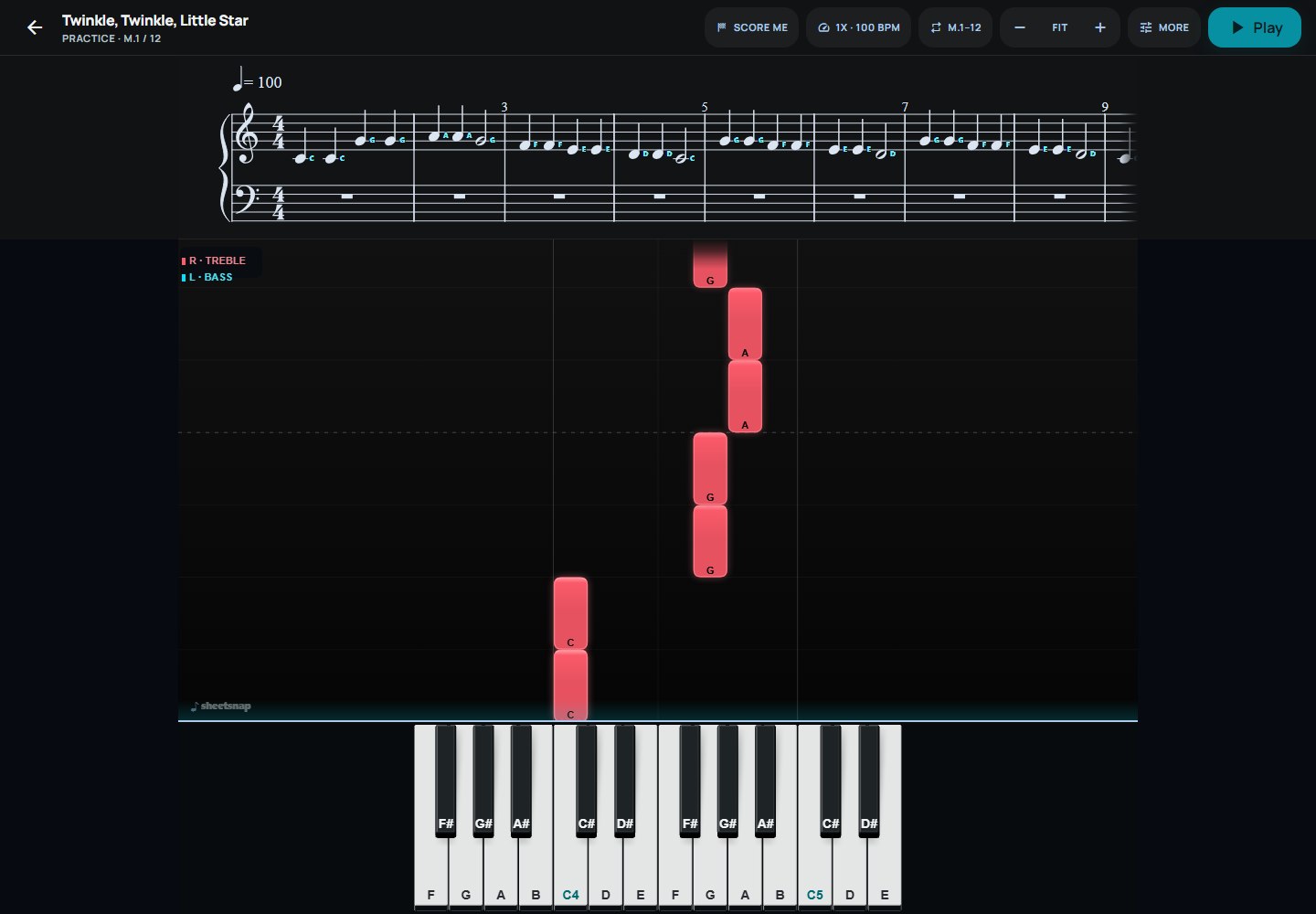
What is Synthesia?
Synthesia is a piano-learning app that connects MIDI or MusicXML songs to falling notes and notation, with keyboard-led practice tools.
Synthesia official product informationTry it with your music
Start with a free piece, then bring supported MIDI or uncompressed MusicXML with eligible Pro access. Live MIDI requires a compatible browser and device. Creator exports are beta; test a short export on your setup first. Your library currently saves locally in your browser.
Sources and product details
Prepared by SheetSnap. Product description checked against the official source above. This page is not sponsored by or affiliated with Synthesia. Product names identify the alternatives or companions discussed, not shared access to their content.